Independent personalities
Each minpin has its own timing for sitting, standing, walking, running, jumping, avoiding neighbours, and joining short play sessions.
A playful Windows desktop companion
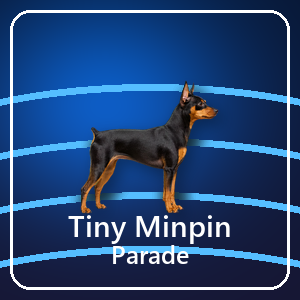
Bring animated miniature pinschers to your desktop. They sit, walk, run, jump, investigate the pointer, and occasionally play together while your normal Windows work stays fully accessible underneath.
1 to 20 minpins • Local settings • Ordinary desktop use stays click-through
The transparent overlay follows the Windows virtual desktop, so the minpins can wander above the desktop and open windows without replacing your wallpaper or becoming a separate game window.

It is a focused desktop-pet experience with enough control to make the parade feel at home on different screens, work habits, and power conditions.
Each minpin has its own timing for sitting, standing, walking, running, jumping, avoiding neighbours, and joining short play sessions.
Set the pet count, walking speed, running speed, minimum size, and maximum size. Changes appear immediately.
Choose Natural black and tan, Red/fawn, or Chocolate and tan without downloading additional artwork.
Optional soft shadows follow each minpin's actual feet and remain grounded while the pet jumps. Shadow opacity is adjustable.
Pause the overlay automatically when a fullscreen app is active, so it stays out of the way during games, presentations, and video.
Battery Saver halves the animation update rate while unplugged to reduce the desktop companion's background workload.
A minority of minpins occasionally investigate the pointer, then return to their own routine.
The experimental click-to-boop option lets a click directly on a minpin trigger a jump and bark while the rest of the overlay remains click-through.
Right-click the Tiny Minpin Parade notification-area icon to open Settings, toggle sound, choose a surprise-sized parade, return to one minpin, or close the app.
Preferences are stored in your local Windows application-data folder and loaded the next time the app starts.
The desktop pet does not need a Tiny Minpin Parade account or a cloud-synchronisation service.
Normal clicks pass to the desktop and apps underneath. Only the optional experimental boop mode changes hit testing on visible pet pixels.
The guide explains every tray command, slider, checkbox, power option, and troubleshooting step.
No. The overlay is click-through during ordinary use. If you enable the experimental boop option, only visible minpin pixels respond to a click after the next launch; the rest of the desktop remains click-through.
Yes. One minpin is the default, and the tray menu's Just one command returns the parade to a single companion at any time.
Yes. Keep Pause when a fullscreen app is active enabled in Settings.
In %LocalAppData%\TinyMinpinParade\settings.json on your Windows PC.
Choose your minpins, their pace, size, shadows, coat colour, and sound.